Scikit-LLM: Comprehensive Sentiment Analysis Pipeline
Le brief IA que les pros lisent chaque soir
Les 7 actus IA du jour, décryptées en 5 min. Gratuit.
Inclus dès l'inscription : notre sélection des meilleurs guides & comparatifs IA.
Choisis ton rythme
Gratuit · Pas de spam · Désabonnement en 1 clic
Scikit-LLM: Complete Sentiment Analysis Pipeline
Introduction
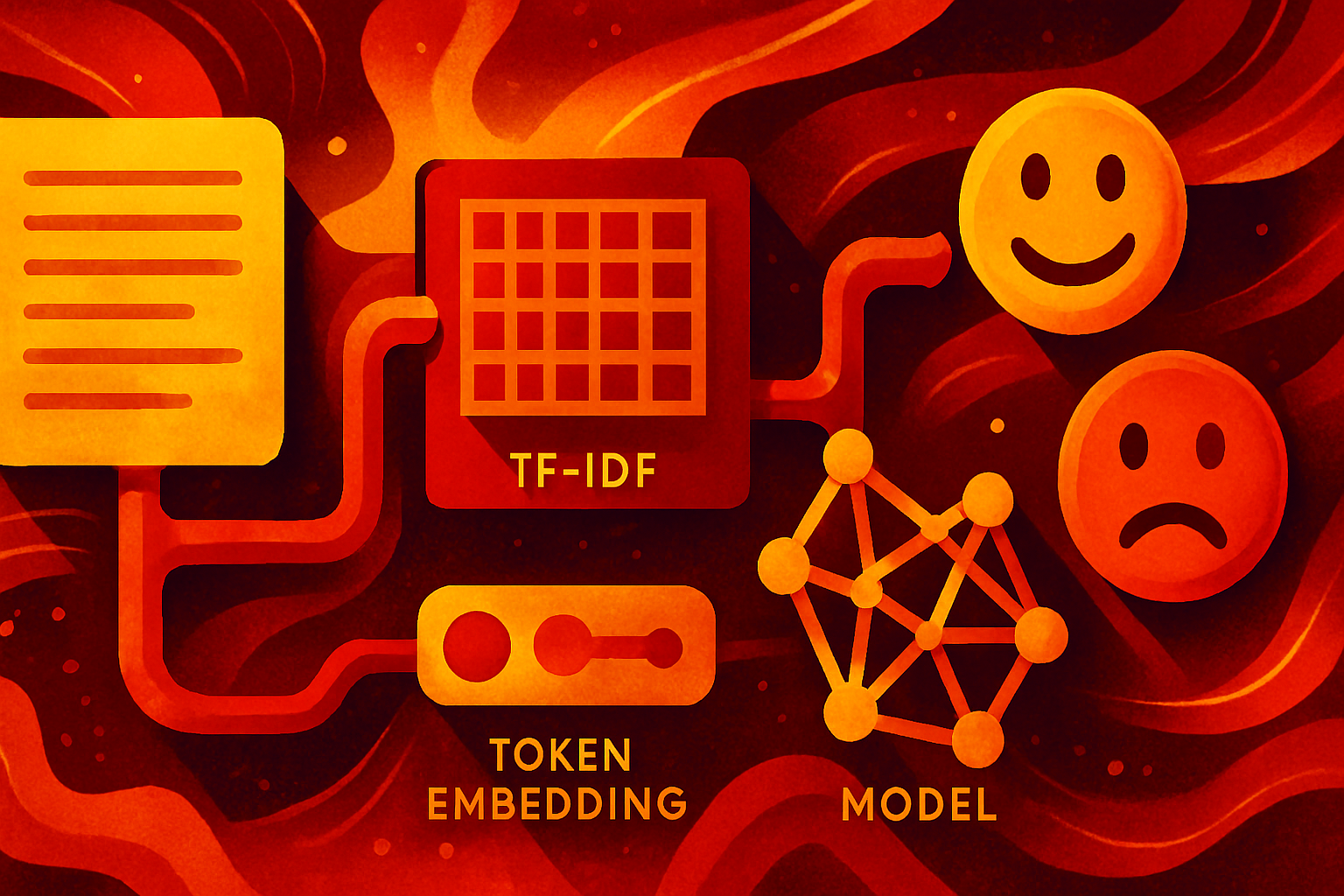
Traditional machine learning pipelines for predictive tasks such as text classification typically rely on extracting structured numerical features from raw text — for example, TF-IDF frequencies or token embeddings — to feed into classical models like logistic regression, ensembles, or support vector machines.
With the emergence of large language models (LLMs), the game has somewhat changed: it is now possible to leverage zero-shot or few-shot reasoning on existing pre-trained models for linguistic tasks within a machine learning framework. Scikit-LLM is a Python library that addresses this need: it bridges classical machine learning and modern LLM API calls. In this article, we will use Scikit-LLM with Groq backend models to build a complete sentiment analysis pipeline (a specific form of text classification), achieving reasonably fast inference results with open-source models. From preprocessing to inference, we will utilize a large, realistically sized dataset — the IMDB movie reviews dataset.
Prerequisites, Setup, and Dataset Acquisition
To run the code presented in this tutorial, you need to have the Scikit-LLM library installed:
pip install scikit-llm
Once installed, the first step is to configure it and set the API credentials. In other words, we need to "connect" Scikit-LLM to an endpoint — namely, an LLM API repository like Groq. Make sure to sign up on Groq and generate an API key here: you will need to copy and paste it into the code below:
from skllm.config import SKLLMConfig

# 1. Pointing to a compatible Groq endpoint
SKLLMConfig.set_gpt_url("https://api.groq.com/[openai](/dossier/openai)/v1")

# 2. Set your free Groq API key
# Get yours at https://console.groq.com/keys
SKLLMConfig.set_openai_key("YOUR-API-KEY-WILL-GO-HERE")
Scikit-LLM uses an endpoint function, set_gpt_url, which is compatible with OpenAI by default; we redirected it to make internal requests to a custom Groq URL: https://api.groq.com/openai/v1.
The next step is to import the IMDB movie reviews dataset — which contains about 50,000 instances — and prepare it for the sentiment analysis pipeline we are going to build. The instances consist of a text review labeled with a sentiment, which can be positive or negative (this is a binary classification problem, solvable with models like logistic regression, for example).
For convenience, we will read the dataset from a public GitHub repository in CSV format:
import pandas as pd
from sklearn.model_selection import train_test_split

# Fetching a large realistically sized dataset (IMDB movie reviews - 50,000 rows)
# We will read the data from a public raw CSV for convenience
url = "https://raw.githubusercontent.com/Ankit152/IMDB-sentiment-analysis/master/IMDB-Dataset.csv"
print("Downloading the dataset...")
df = pd.read_csv(url)
print(f"Total dataset size: {df.shape[0]} rows")

# In a realistic LLM pipeline using a free API, sending 50,000 requests
# will likely trigger quota limits. Thus, we will use 500 rows to demonstrate the execution of our pipeline.
# Feel free to use more data if you have paid API access.
df_sampled = df.sample(n=500, random_state=42)

# The IMDB dataset contains HTML tags and formatting noise: perfect for testing our cleaner
X = df_sampled["review"]
y = df_sampled["sentiment"]  # Labels are 'positive' or 'negative'

# Splitting into training (to initialize zero-shot labels) and test sets
X_train, X_test, y_train, y_test = train_test_split(X, y, test_size=0.2, random_state=42)
Note that we retrieved only 500 rows for demonstration purposes, as otherwise, inference could take time without sufficient computing resources. You can freely modify this sample size, n=500, to suit your own needs.
Building the Sentiment Analysis Pipeline
Here comes the most interesting part of the process! A data science pipeline boils down to a series of preprocessing, cleaning, and data preparation steps followed by model configuration or training, inference, and evaluation. For a text-based predictive scenario like ours, preprocessing typically involves cleaning and normalizing the text. Scikit-learn provides a neat class, FunctionTransformer, to define and encapsulate preprocessing steps based on a custom function:
from sklearn.preprocessing import FunctionTransformer

def clean_text_data(texts):
    """Cleans raw text inputs by removing HTML tags and eliminating extra spaces."""
    series = pd.Series(texts).astype(str)
    # Remove HTML tags like <br />
    cleaned = series.str.replace(r'<[^>]+>', ' ', regex=True)
    # Remove extra spaces
    cleaned = cleaned.str.strip().str.replace(r'\s+', ' ', regex=True)
    return cleaned.tolist()

# Encapsulating the cleaning function to allow its use in a Pipeline object
text_cleaner = FunctionTransformer(clean_text_data)
We will now assemble this preprocessing object with a model instance to create the pipeline. Once defined, this pipeline orchestrates the entire data preparation process and model passing during both training and inference steps — even though we use the term "training," no weight-based training will occur, as we are using a pre-trained Groq model for zero-shot classification. The model fitting consists solely of passing it the classification labels to use.
from sklearn.pipeline import Pipeline
from skllm.models.gpt.classification.zero_shot import ZeroShotGPTClassifier

# Define the end-to-end pipeline
sentiment_pipeline = Pipeline([
    ("cleaner", text_cleaner),
    # Updated to use Groq's active Llama 3.1 8B model
    ("llm_classifier", ZeroShotGPTClassifier(model="custom_url::[llama](/dossier/meta-ia)-3.1-8b-instant"))
])

# Fit the pipeline
# Note: For Zero-Shot classification, fit() does not train the LLM.
# It simply records the unique labels present in 'y_train' (positive, negative).
print("Fitting the pipeline...")
sentiment_pipeline.fit(X_train, y_train)
Once we have executed the pipeline to "fit" the model, we use it again for inference. Both steps utilize familiar scikit-learn syntax. In addition to evaluating the pipeline's performance, we also display a few examples of predictions:
from sklearn.metrics import classification_report

print(f"Running predictions on {len(X_test)} test samples...")
# Run predictions through the pipeline
predictions = sentiment_pipeline.predict(X_test)

# Evaluate the pipeline's performance on realistic data
print("\n--- Classification Report ---")
print(classification_report(y_test, predictions))

# Display a few examples side by side
print("\n--- Prediction Examples ---")
for review, actual, predicted in zip(X_test[:3], y_test[:3], predictions[:3]):
    # Truncate review for display purposes
    short_review = review[:100]
Brief IA — L'actualité IA en français
L'essentiel de l'actualité de l'intelligence artificielle, décrypté et expliqué chaque jour.