ChatGPT Adds Exportable Stickers for WhatsApp and iMessage
Le brief IA que les pros lisent chaque soir
Les 7 actus IA du jour, décryptées en 5 min. Gratuit.
Inclus dès l'inscription : notre sélection des meilleurs guides & comparatifs IA.
Choisis ton rythme
Gratuit · Pas de spam · Désabonnement en 1 clic
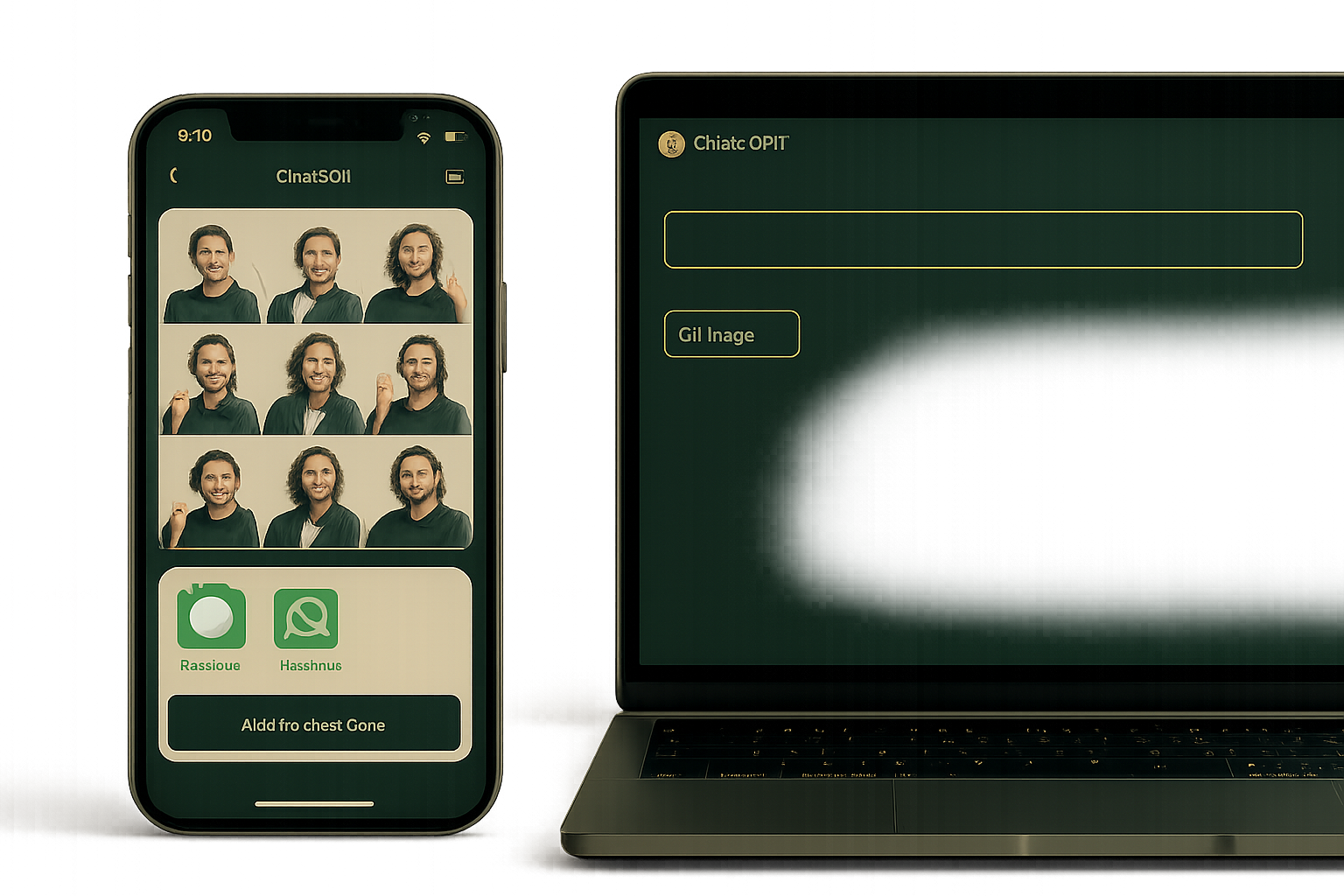
ChatGPT integrates a Stickers feature into its image tool. The nine-visual sheets with transparent backgrounds can be exported via a button to iMessage, WhatsApp, or the gallery. These new features are initially fully deployed on mobile; on desktop, generation occurs without "fill-in-the-blank prompts," and the style cannot be chosen in advance.
On desktop, ChatGPT does not offer style selection upfront
On desktop, the image interface launches directly under the prompt bar and does not provide a "fill-in-the-blank prompt." In this version, it is impossible to choose the style upfront, at least for now. The process remains the same as on mobile, but these differences persist. The generated sheet can also be adjusted by continuing the conversation with ChatGPT. The sticker-related updates are initially fully deployed on mobile.
One-button export to iMessage, WhatsApp, and the gallery
Each sheet of nine stickers is produced with a transparent background. Export is done via a dedicated button. Three destinations are offered: iMessage, WhatsApp (individual addition to stickers), and saving to the photo gallery. OpenAI specifies that the generation on a transparent background also applies to other images created in ChatGPT.
Nine variants generated from a photo or text
ChatGPT now offers the creation of stickers for messaging applications. This feature relies on ChatGPT Images and can be controlled from the Images section of the sidebar or directly via the prompt box. It supports input of one or more images imported from the gallery, or a description in text form. The generator converts each photo into a sticker, creates nine different versions, and can add or remove elements. The style can be borrowed from another image or specified in the prompt, and the feature has been officially announced on X.
The mobile app offers a pre-prompt and emojis to guide creation
To get started on mobile, you need to open the ChatGPT app, select Images from the side menu, and then choose Stickers. The app offers a modifiable pre-prompt. The user selects a style from a dropdown menu, adds their image or photo, and can indicate emojis that will influence the generation. By pressing Generate, a grid of nine stickers is presented according to the instructions. Sharing options are accessible from the sheet, under "Add to chat apps." This feature is part of the ongoing enhancement of the image generator integrated into ChatGPT. In April, ChatGPT Images 2.0 had already introduced the Thinking mode and batch generation.
Brief IA — L'actualité IA en français
L'essentiel de l'actualité de l'intelligence artificielle, décrypté et expliqué chaque jour.