ChatGPT on Chrome Controls Tabs and Centralizes History
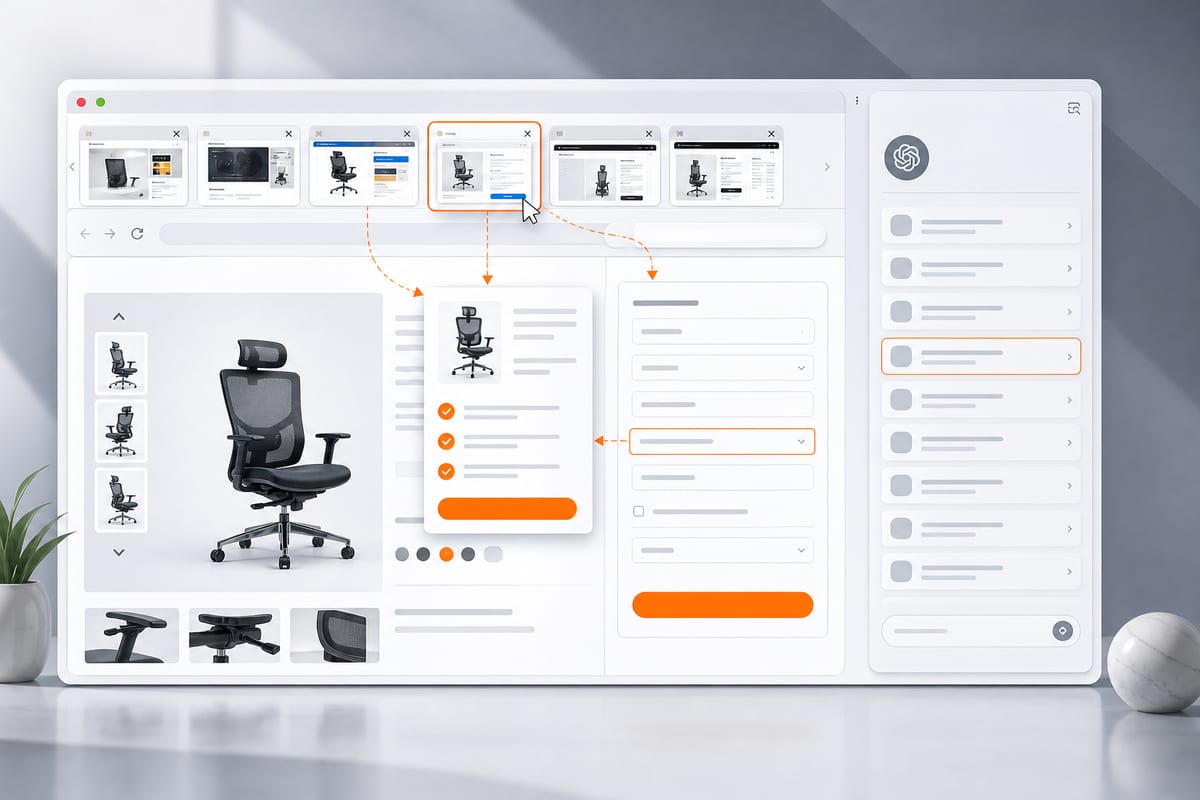
ChatGPT integrates more deeply with Chrome: the complete conversation history appears in a sidebar, and the extension works with all subscriptions. The tool can now read and manipulate open tabs, with demonstrations of product comparisons, article summaries, and price matching.
History in the Sidebar and Compatibility with All Plans
The complete conversation history is now accessible in an updated ChatGPT sidebar, displayed next to the web page being viewed. The updated Chrome extension works with all ChatGPT plans, regardless of subscription.
Tab Commands and Multi-Page Extraction
ChatGPT can directly access open tabs in Chrome and act upon them. Users can target open tabs with the @chrome command. With Chat mode, it is possible to retrieve information from multiple tabs simultaneously. In Work mode, the tool can take control of the tabs from the computer to send messages, fill out forms, download files, or organize the tabs.
Le brief IA que les pros lisent chaque soir
Les 7 actus IA du jour, décryptées en 5 min. Gratuit.
Inclus dès l'inscription : notre sélection des meilleurs guides & comparatifs IA.
Choisissez votre rythme
Gratuit · Pas de spam · Désabonnement en 1 clic
Usage Examples and Highlighted Model
In the examples presented by OpenAI, the extension compares products across tabs based on criteria such as size, material, delivery time, and return policies. It can also summarize articles in clear language or match price pages from different sellers. GPT-6 Astra is showcased as the best computing usage model currently, capable of handling complex workflows with multiple steps.
Brief IA — L'actualité IA en français
L'essentiel de l'actualité de l'intelligence artificielle, décrypté et expliqué chaque jour.