LangChain and LangGraph: Choosing the Right Tool for Your Workflows
Le brief IA que les pros lisent chaque soir
Les 7 actus IA du jour, décryptées en 5 min. Gratuit.
Inclus dès l'inscription : notre sélection des meilleurs guides & comparatifs IA.
Choisis ton rythme
Gratuit · Pas de spam · Désabonnement en 1 clic
LangChain and LangGraph: Choosing the Right Tool for Your Workflows
1. Pipeline vs Loops
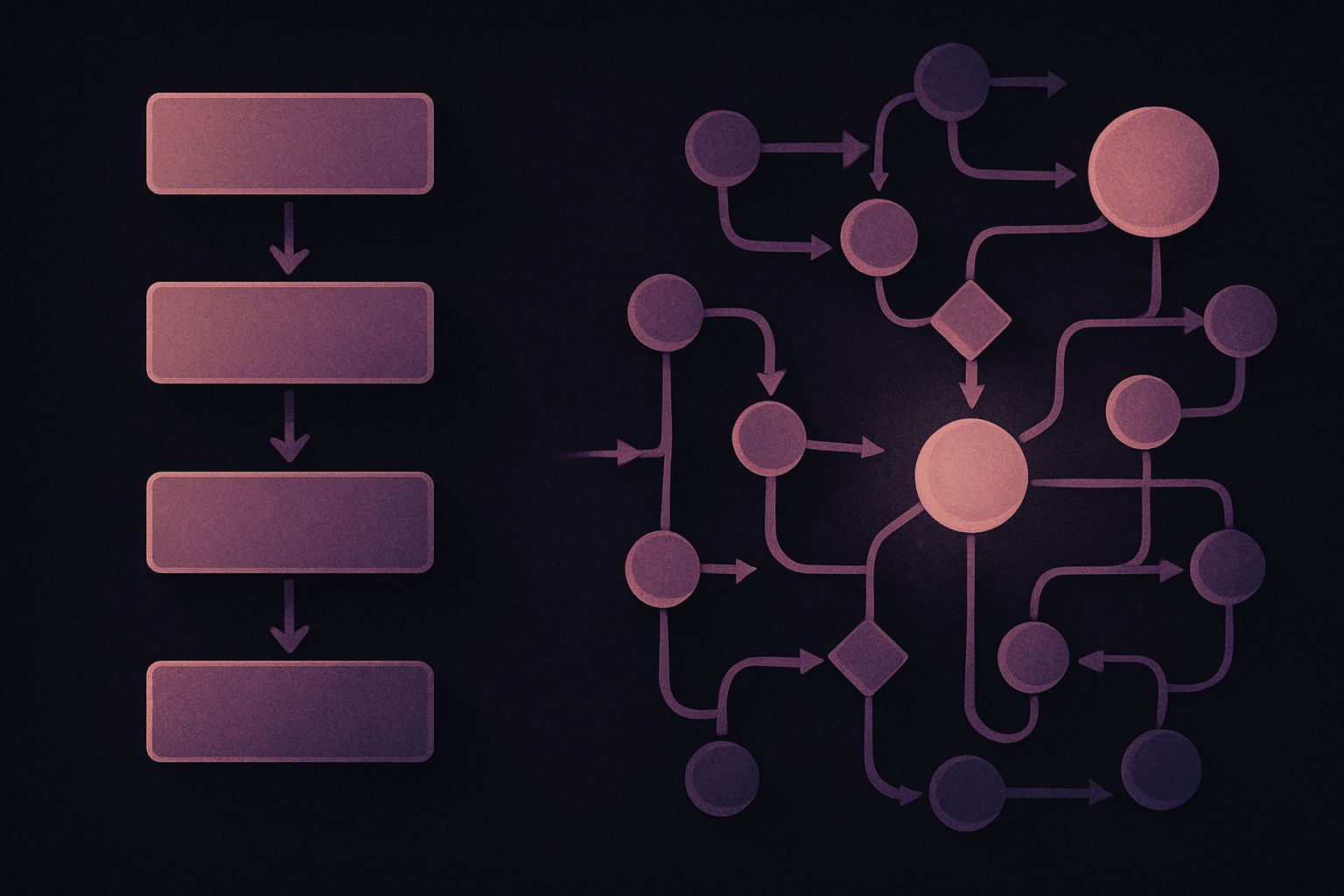
LangChain is designed to function as a linear pipeline, where components are chained in a single direction. This means that data flows sequentially through each step of the process, as illustrated by the following code:
chain = [prompt](/glossaire/prompt) | model | parser
output = chain.invoke(input)
While LangChain allows for the creation of branches and the parallel execution of certain steps, its default structure remains that of a pipeline. This approach is particularly effective for solving problems such as document retrieval followed by response generation, field extraction and recording, or text summarization and classification. However, for operations requiring backtracking, it is necessary to implement an external loop in Python, as LangChain does not inherently manage these returns.
In contrast, LangGraph adopts a loop-based approach integrated into the workflow. It operates as a graph composed of nodes and edges. Each node is responsible for a specific task, while the edges define transitions between these nodes. Conditional edges allow for returning to previous steps, making the process more flexible.
2. Stateless vs Stateful
LangChain, as a pipeline, does not maintain state between executions. Each operation receives an input and produces an output, and the state is passed through data structures like dictionaries or custom objects. This method is sufficient when each step depends solely on the result of the previous step. However, for more complex workflows involving loops or branches, it is necessary to manually manage elements such as conversation history or validation errors outside of LangChain.
LangGraph, on the other hand, integrates state management directly into its architecture. Agents created with LangGraph have a state defined by a schema, often in the form of a TypedDict. For example, a customer service agent might have a state including messages, booking details, and other relevant information. This integration allows nodes to update the state partially, thereby simplifying data management throughout the process.
3. Human Interrupts the Loop vs Human in the Loop
In certain critical situations, it is essential to allow for human intervention in the automated process. For example, before an agent performs a database migration or a production deployment, human approval may be required. With LangChain, this intervention is typically managed outside the pipeline, necessitating a series of steps to log the proposed action, wait for approval, and reconstruct the necessary context to continue the workflow.
LangGraph simplifies this process by integrating interrupt calls directly into the nodes. This allows the graph to pause at specific points and wait for external input before continuing, making human intervention smoother and less cumbersome.
4. Restarts vs Recovery
When a step fails in a LangChain pipeline, the simplest solution is often to restart the entire process. However, this can be costly, as all previous operations must be repeated. While it is possible to add caching mechanisms or custom recovery solutions, these are not built into LangChain.
LangGraph offers a more elegant solution with its checkpointer mechanism, which saves a snapshot of the graph's state at each step. In the event of a failure, it is possible to resume the process from the last checkpoint, thus saving time and resources. This feature also allows for inspecting the state before a problematic step or restarting from any previous checkpoint.
When to Use What
LangChain is ideal for linear and predictable workflows, such as standard RAG pipelines, simple question-answering bots, or document extraction and classification tasks. In contrast, LangGraph is better suited for complex systems requiring dynamic control flow management, such as coding assistants that generate, test, and repair code. For applications where the system is best understood as a pipeline, LangChain is the appropriate choice. For those requiring a stateful system, LangGraph is preferable.
Brief IA — L'actualité IA en français
L'essentiel de l'actualité de l'intelligence artificielle, décrypté et expliqué chaque jour.